Navigation: Cart Settings > Global Cart Settings Overview > Order/Cart Settings >
One Page Checkout


|
Navigation: Cart Settings > Global Cart Settings Overview > Order/Cart Settings > One Page Checkout |
|
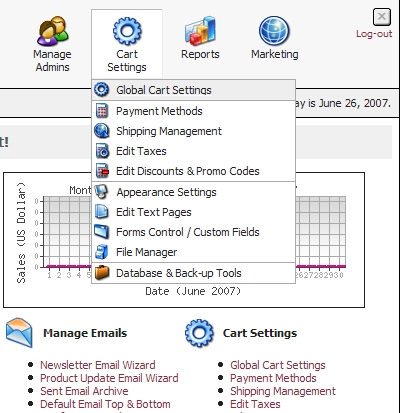
| • | Go to 'Cart Settings' > 'Global Cart Settings'. |
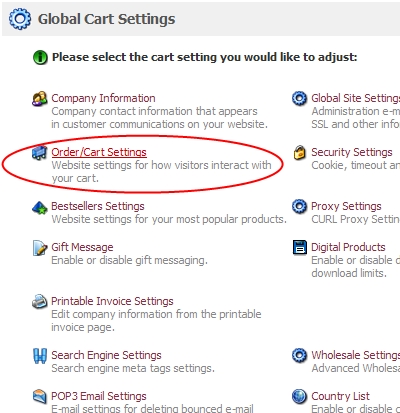
| • | Click on 'Order/Cart Settings'. |
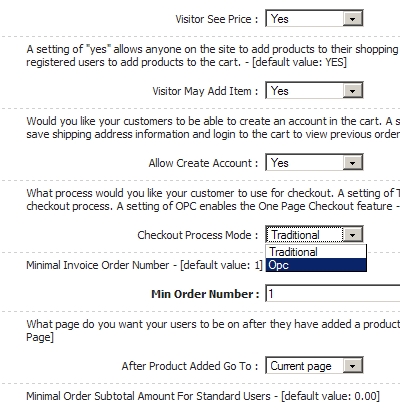
| • | Scroll down to 'Checkout Process Mode:' and Choose 'OPC'. |
| • | Hit 'Save changes' at the bottom of the page. |
| • | *Note that enabling OPC does not remove mandatory user registration. To disable forced registration, you will need to scroll up to 'Allow Create Account' and set it to 'No'. This however will not keep users from registering if they want to, it just takes it away from the checkout process. |