Navigation: Categories & Products >
Gift Certificates


|
Navigation: Categories & Products > Gift Certificates |
|
On this page you can manage gift certificates purchased through Cart.
1. First you need to ensure you have the gift certificates 'Enabled' by clicking on the 'Enable Module' button as shown below.

2. Click the ' ' to edit any certificate that has been purchased already.
3. You can delete the existing certificates by clicking on the  icon.
icon.
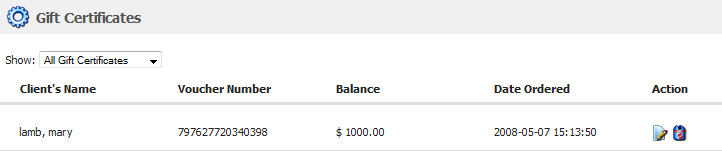
4. You would then be able to edit any of the fields as shown below.

5. In order to edit the emails that get sent when someone purchases a gift certificate click the 'Gift Certificates Email tab to edit the email that is sent to the recipient of the certificate as shown below.
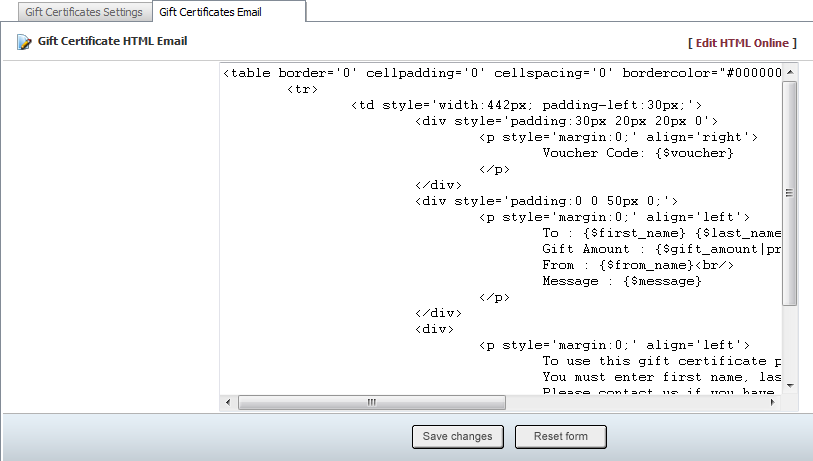
6. Click on  in order to edit HTML style pages.
7. Once done click on the 'Save Changes' button to save the changes you have made here or click on the 'Reset Page' button to undo all your changes.